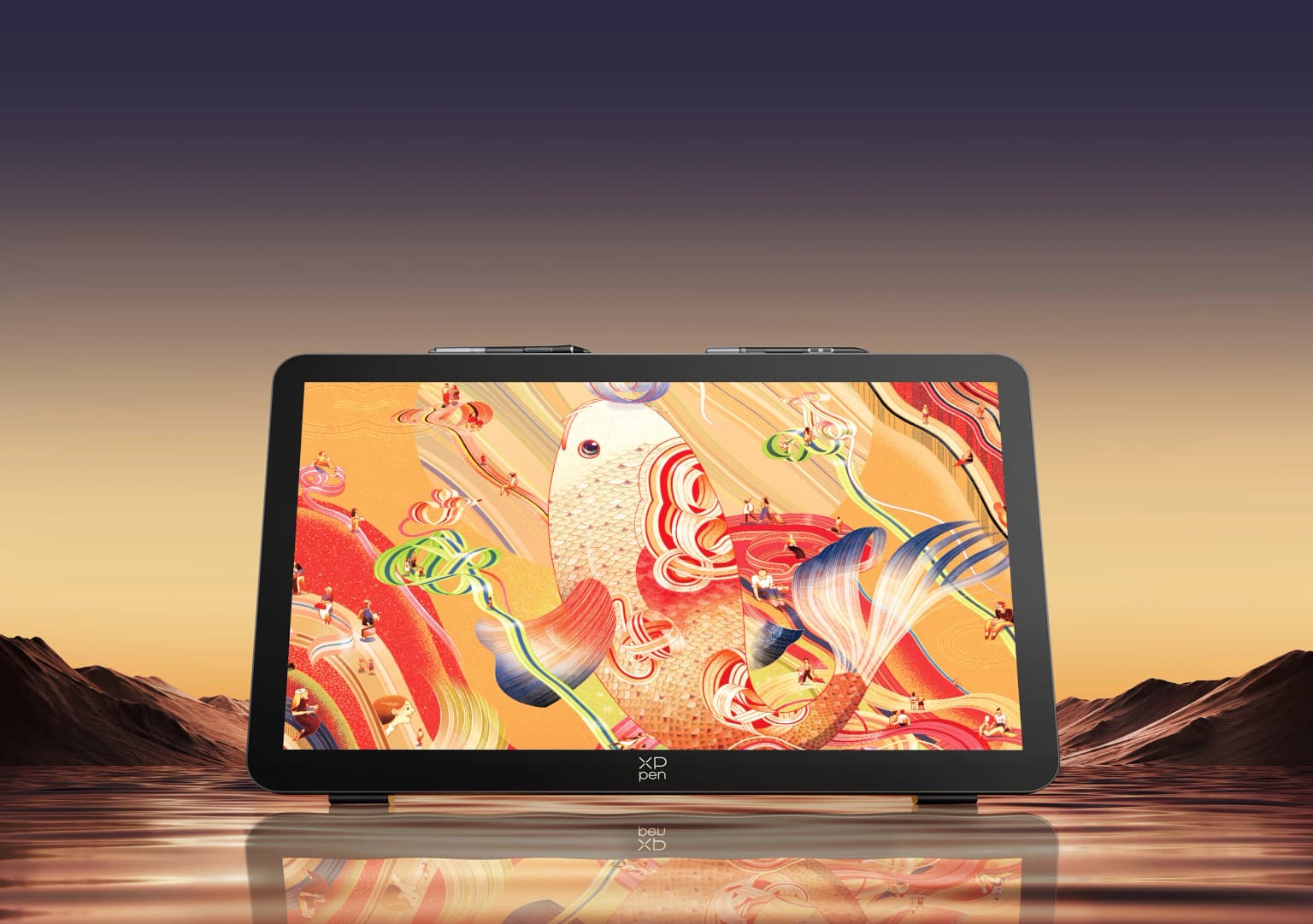
A 27 inch drawing tablet is an audacious thing to build. Most artists work at 16 inches and consider that generous. XP Pen looked at that convention and went in a completely different direction with the Artist Pro 27 Gen 2, packing in every feature they could think of at the largest size they have ever attempted. Four K resolution, 120Hz refresh rate, touchscreen, two pens, a shortcut remote, factory colour calibration, and a stand that adjusts from a flat drawing angle all the way to vertical monitor use. The result is impressive in almost every way except one, and that one thing matters enough that I need to address it directly before anything else.
There is pen lag on this tablet, most noticeably on Windows. It is not subtle and it is not a settings issue. I tested it with beta drivers, official drivers, and no drivers at all on a clean Windows install and the lag was present in every configuration. The lines themselves are unusually smooth, smoother than I expected from this pen, which is actually what pointed me toward the problem in the first place. Something is applying aggressive brush stabilisation somewhere in the pipeline, either at the hardware or firmware level, and the result is strokes that trail behind your hand more than they should. The issue is less pronounced on Mac. It is also less noticeable on the 16 inch version of this tablet, though whether that is because the problem is smaller or because the smaller screen makes it harder to see is genuinely unclear to me.
XP Pen has a strong track record of resolving these kinds of issues through driver updates and this reads like exactly the kind of thing that gets fixed in software. My honest recommendation is that if you are watching this after a driver update has addressed the lag, the rest of this tablet is extremely easy to recommend. If you are watching this before that fix arrives, wait.
Now for everything that works, which is most of it.
The screen is the centrepiece and it earns that status. A 26.9 inch 4K panel at 3840 by 2160 with a 120Hz refresh rate covers a colour range of 99 percent Adobe RGB, 99 percent sRGB, and 97 percent Display P3. The matte anti-glare coating is well implemented, without the hazy blurriness that some drawing tablets have introduced with their matte surfaces in recent generations. Colours are sharp and accurate, gradients render without banding, and the overall image quality sits comfortably in the premium tier. At 350 nits of brightness it is not going to compete with monitors designed for HDR work, but for drawing in a normal indoor environment it handles direct ambient light without washing out.
The adjustable stand is a feature I genuinely appreciated. It moves from a low drawing angle around 15 to 16 degrees all the way to 90 degrees for use as a standalone monitor, with every position in between accessible. A VESA mount option lets you attach it to a monitor arm entirely, which at 27 inches would be a particularly good setup. A cord cover plate snaps onto the back for a clean look when the tablet is used in a space where aesthetics matter. There is also a 3.5mm headphone jack along the back panel, which is a detail that does not get enough credit on drawing tablets.
The box contains two styluses, the X3 Pro Smart Tip Stylus and the X3 Pro Slim Stylus, both running at 16384 levels of pressure sensitivity with a 3g activation force. Felt tip nibs are included alongside standard nibs and they are worth trying if you prefer a scratchier, more paper-like drawing feel on the matte surface. Pen clips attach to the top of the monitor for storage when not drawing, which keeps the workspace tidy.
The touchscreen supports 10-point multi-touch and performed well in testing. On Windows with software that handles touch input properly, gestures like two-finger undo, three-finger redo, and pinch to zoom work cleanly without ghost touches or accidental palm interference during drawing. On Mac the touch is functional but can be overly sensitive during canvas navigation, sometimes moving more than intended with two-finger panning gestures. A hardware button along the top of the tablet toggles touch on and off instantly, which is the right solution for anyone who wants to disable it quickly during focused drawing sessions.
The included ACK05 shortcut remote does what it needs to do. Customisable buttons, a scroll wheel with a satisfying click, and app-by-app shortcut mapping through the XP Pen driver software. It works wirelessly via the included Bluetooth dongle. Compared to what Huion and Xencelabs are currently shipping with their tablets, the remote feels a generation behind. No LCD labels, less tactile button feedback, lighter overall feel. It gets the job done but it is the one area where competitors have recently pulled ahead.
At its price point the Artist Pro 27 Gen 2 sits below the Huion Kamvas Pro 27 at around $2,100 and well below the Wacom Cintiq Pro 27 at $3,500. The screen quality is competitive with the Huion and the hardware value is strong. Until the pen lag issue is resolved on Windows, Huion has the edge for buyers who need to purchase now. Once XP Pen addresses it, the price difference tips the balance back.
Specifications
| Feature | Details |
|---|---|
| Model | Artist Pro 27 Gen 2 (MD270UH) |
| Screen Size | 26.9 inches |
| Resolution | 3840 × 2160 (4K) |
| Refresh Rate | 120Hz |
| Colour Gamut | 99% Adobe RGB / 99% sRGB / 97% Display P3 |
| Brightness | 350 nits |
| Viewing Angle | 178° |
| Touch | 10-point multi-touch |
| Full Lamination | Yes |
| Anti-Glare | Yes, with fingerprint-resistant coating |
| Styluses | X3 Pro Smart Tip + X3 Pro Slim Stylus |
| Pressure Levels | 16384 |
| Activation Force | 3g |
| Accuracy | ±0.4mm (centre) |
| Tilt Detection | Yes |
| Ports | USB-C, HDMI, DisplayPort, 3.5mm headphone jack, DC |
| Dimensions | 681.3 × 423.8 × 44.0mm |
| Weight | 7kg |
| Work Area | 596.7 × 335.7mm |
| Compatibility | Windows 7+, macOS 12+, Android 10+, ChromeOS 88+, Linux |
| In the Box | Tablet, two styluses, pen case, shortcut remote, display cables, power adapter, stand, glove, cleaning cloth, replacement nibs |