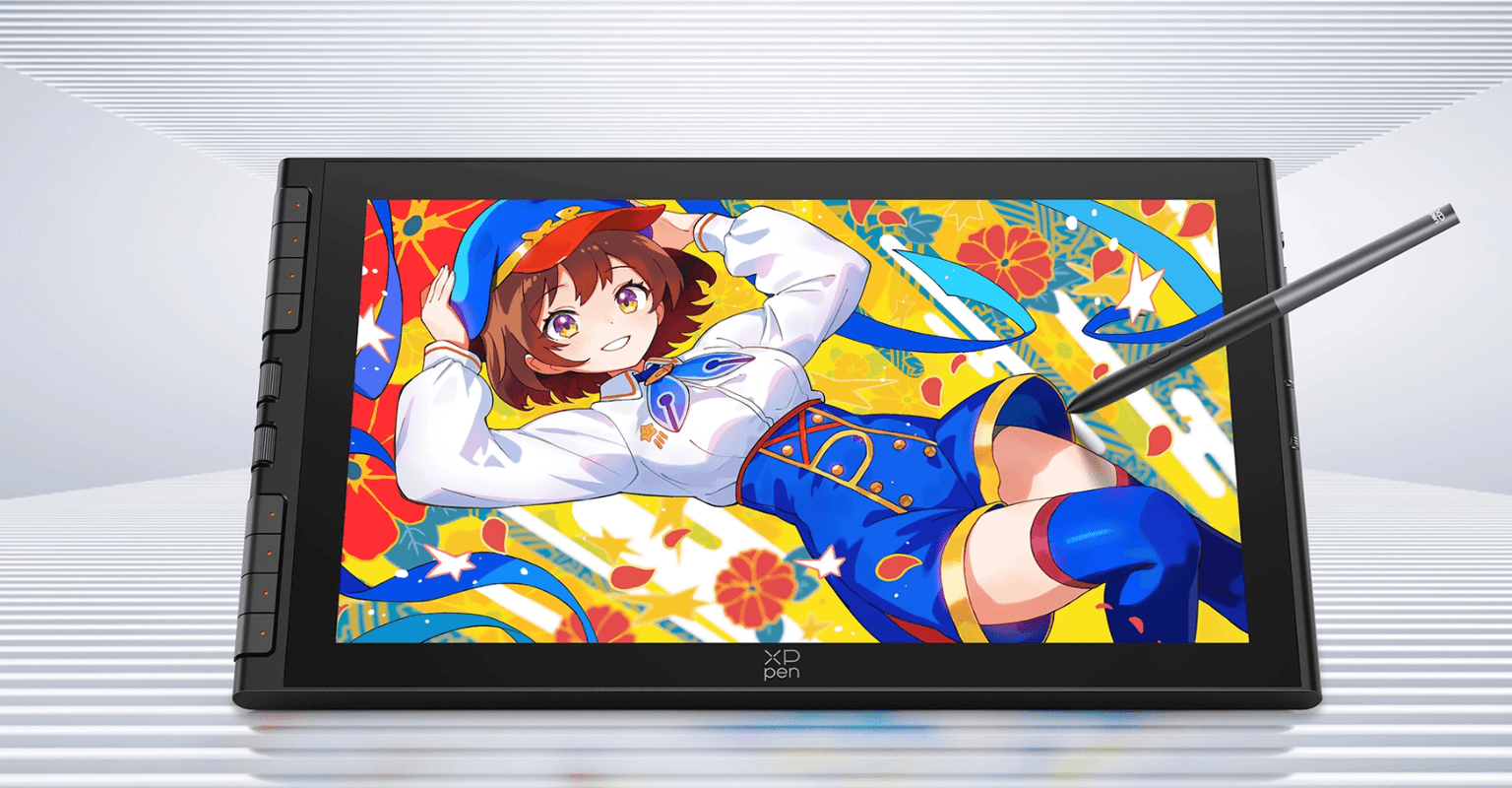
The 16 inch drawing tablet size is a sweet spot that I keep coming back to. Large enough to see everything clearly without squinting at a cramped canvas, small enough to slide off the desk when you are done and not feel like you are reorganising your entire workspace around it. The XP Pen Artist 16 third generation lives in that size and it brings forward the design language from the 12 inch version released last year, scaling everything up while keeping the price in a range that does not require a serious financial conversation before purchasing.
I want to be clear about what this tablet is before going into the details. It is XP Pen's value line, not their pro line. That means some compromises were made deliberately to keep the price accessible. Once you understand that going in, the decisions make more sense and the things it does well stand out more clearly.
The build is slim at 12.8mm thick and the single USB-C connection handles both data and power simultaneously. That one-cable setup is genuinely convenient for a display this size. Moving it around the desk, sliding it aside when not drawing, taking it to another room all become easy when you are not managing a tangle of cables. Older computers without a full-featured USB-C port can use the included 3-in-1 cable which provides HDMI and two USB-A connections instead, though that does require two USB-A ports to power and run the display properly.
The customisable buttons along the left side are one of my favourite physical features on any drawing tablet. The two dials have a satisfying click to them, not loose or wobbly, and I set one to zoom and the other to brush size so I can scale my work and adjust stroke width without touching the keyboard. The shortcut buttons I map to undo, eraser toggle, and brush tool. All of it is fully configurable through the driver software. The pen also magnetically snaps to the top of the tablet, which is a feature I wish more display tablets would adopt. It is standard on iPads but rare here and it means the stylus is always exactly where you left it.
The X4 Smart Tip stylus is where XP Pen has been quietly improving generation over generation and the Artist 16 third gen benefits from that accumulated work. Pressure sensitivity runs to 16384 levels with a minimum activation force of 2 grams, meaning very light strokes register cleanly without requiring you to press down to get the pen to respond. The tilt detection covers 60 degrees. Accuracy sits at plus or minus 0.2mm at the centre. The pressure curve feels natural throughout the range without any sudden jumps or dead zones, which is the specific thing that matters most when a stylus does not work right. You know when it is off even if you cannot immediately explain why. This one does not have that problem.
The slow angled line test showed a very faint wave, which is typical for this category and easy to correct with minimal stroke stabilisation. The stabilisation required to smooth it out does not add noticeable lag, which matters because over-stabilised pens start to feel disconnected from your hand movements.
The display is a 15.4 inch fully laminated matte panel at 1920 by 1080 running at 60Hz. The colour coverage is strong at 99 percent sRGB, 98 percent Adobe RGB, and 97 percent Display P3. Colours reproduce accurately and do not blow out in saturated areas. The matte coating dulls the contrast compared to a glossy panel but adds texture that gives the pen grip when drawing, which most artists prefer over a slippery glass surface. The logic behind matte displays in creative work is that art which looks good on a matte screen will look even better on a glossy one, so it is the more demanding environment to calibrate for.
The 1080p resolution at 15.4 inches is the most visible compromise on this device. Pixel density is lower than current iPad and Android tablet screens and you will notice it if you are coming from one of those. Competing tablets like the Huion Canvas 16 offer 1440p at around 150 dollars more, and the Wacom Cintiq 16 also steps up to 1440p at a significantly higher price point. If screen sharpness is the priority those are worth considering. If budget is the constraint and you want a capable 16 inch display tablet, the Artist 16 third gen is the sensible choice at its price.
Specifications
| Feature | Details |
|---|---|
| Model | Artist 16 3rd Gen (CD161FH) |
| Screen Size | 15.4 inches |
| Resolution | 1920 × 1080 |
| Refresh Rate | 60Hz |
| Color Gamut | 99% sRGB / 98% Adobe RGB / 97% Display P3 |
| Brightness | 270 cd/m² |
| Viewing Angle | 178° |
| Full Lamination | Yes |
| Dimensions | 407.9 × 232.8 × 12.8mm |
| Weight | 1355g |
| Work Area | 342 × 193mm |
| Stylus | X4 Smart Tip Stylus |
| Pressure Levels | 16384 |
| Tilt Detection | 60° |
| Min Activation Force | 2g |
| Accuracy | ±0.2mm (centre) |
| Connectivity | Full-featured USB-C × 1, 3-in-1 USB-C × 1 |
| Compatibility | Windows 7+, macOS 10.13+, Android 10+, ChromeOS 88+, Linux |
| In the Box | Tablet, stylus, 10 nibs, nib removal tool, two cables, folding stand, glove, cleaning cloth |